
When a guide doesn't answer your question, ask the MenuCraft team in the app. A person reads every request and answers it on the same page. You also get a notification on the bell and an email when the answer arrives. Owners and managers can ask.
Send a request
- Open Help in the sidebar and select Ask the MenuCraft team at the bottom of the page. You can also select it under any guide.
- Choose what it is about. Most questions are about Menu design.
- For a question about a menu, choose it under Which menu? so the team can look at it as your guests see it.
- Write a short Subject and Your message. Say what you want to do and what you see.
- Add up to four Screenshots if they help. A picture of a menu you like is very useful for design questions.
- Select Send request.
While you type the subject, guides that may answer it appear beside the form. They open in the help panel, so you don't lose what you wrote.
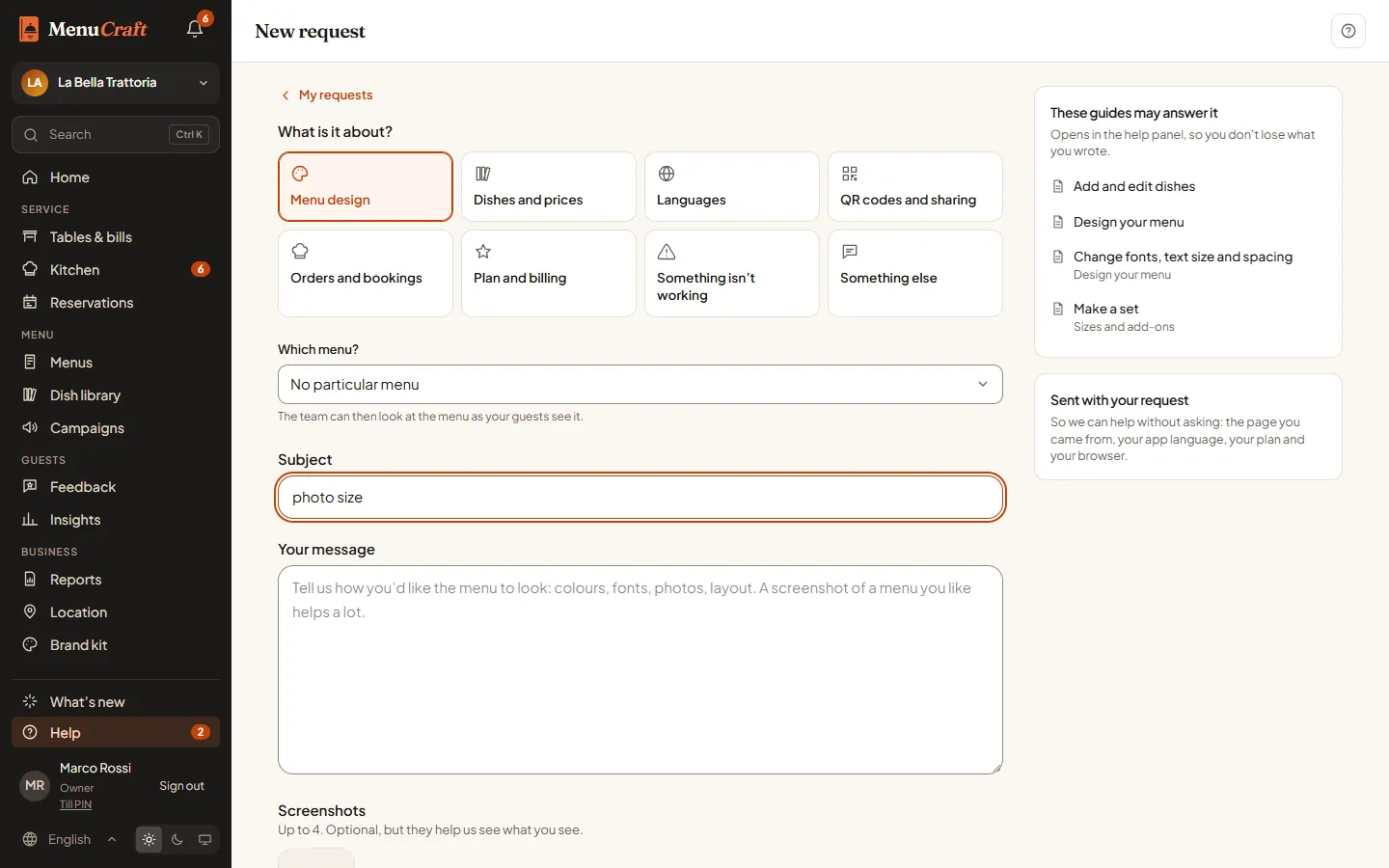
The request also tells the team where in the app you asked from, your app language, your plan and your browser, so they can help without asking.
Follow the answer
Select My requests at the top of the help center to see all your requests. Each one shows where it stands:
- Waiting for MenuCraft: the team hasn't answered yet.
- MenuCraft answered: there is an answer for you. New reply marks the ones you haven't opened.
- Closed: nothing more to do.
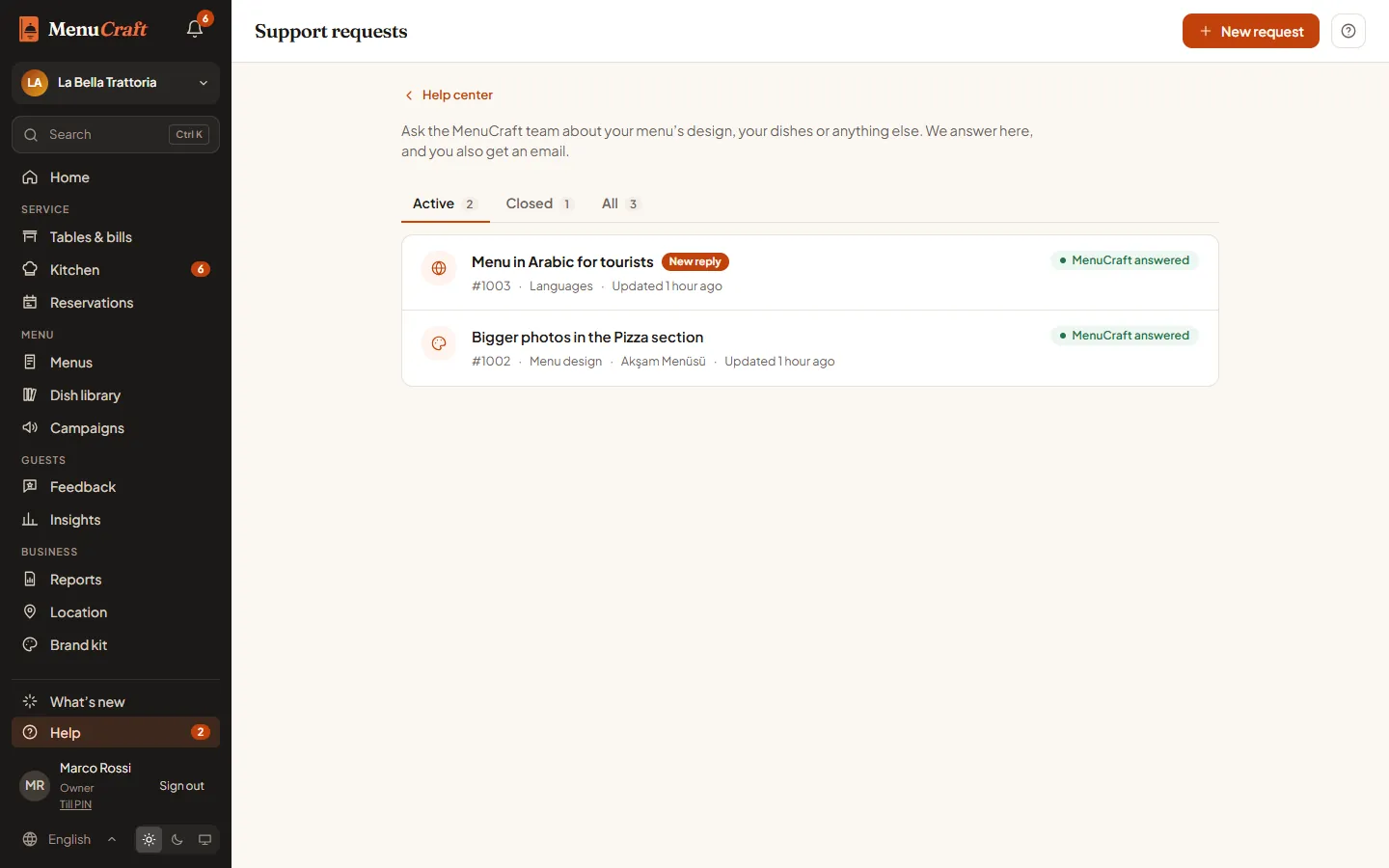
The number on Help in the sidebar counts answers you haven't read yet.
Reply or close
Open a request to see the whole conversation. Write in the box under it and select Send to reply; you can add screenshots here too. When your question is answered, select Close request.
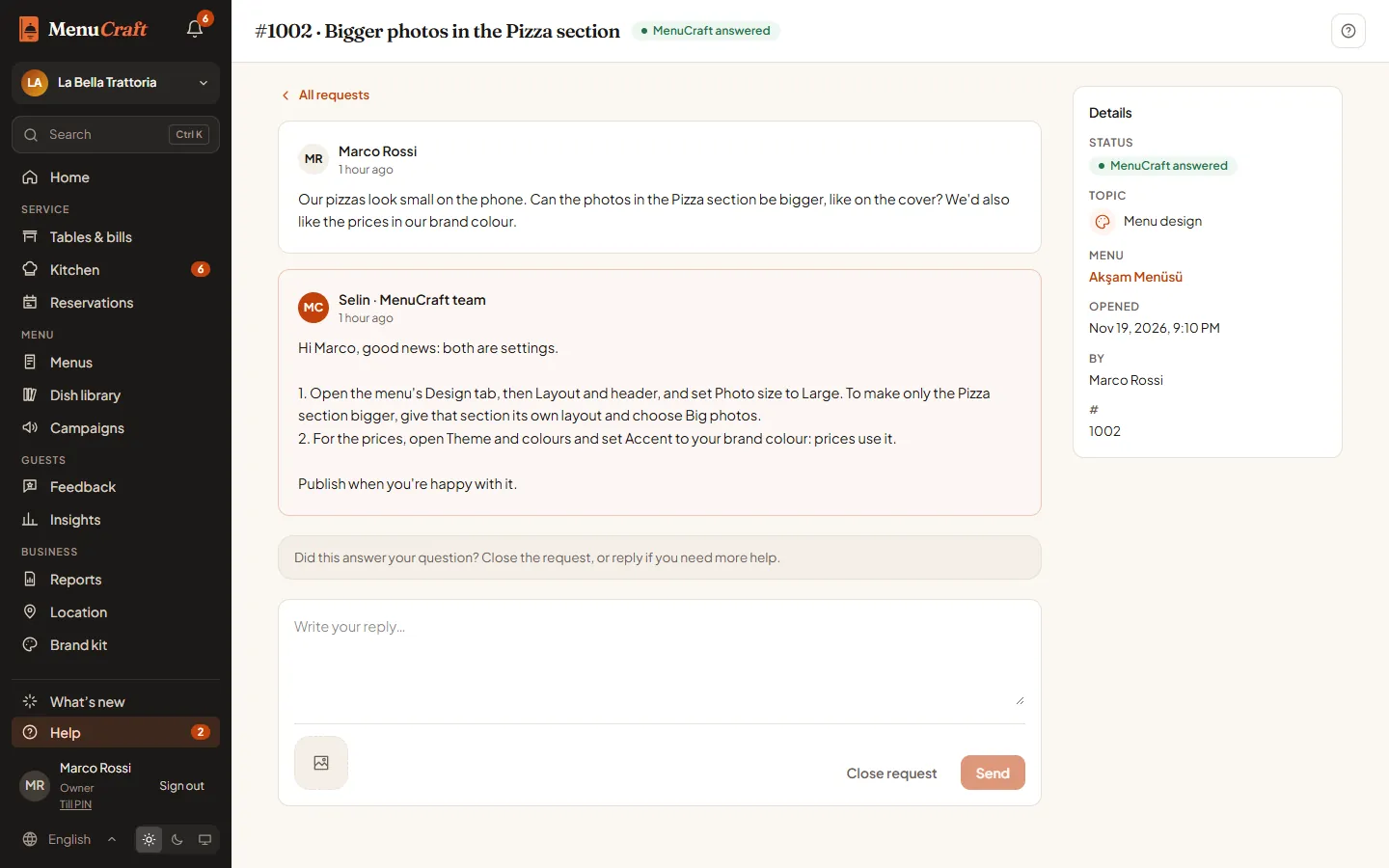
Tip: A closed request opens again when you reply to it, so you can always come back to the same conversation. Answered requests you don't reply to close by themselves after two weeks.