
Guests can tell you how their visit was, right on the menu. Ratings and comments come only to you, on the Feedback page. Afterwards every guest is offered your Google review link, so happy guests can review you on Google in one tap.
Turn on feedback
- Open the menu and go to the Ordering tab.
- Switch on Ask guests how their visit was and select Save.
- Publish the menu.
Guests now see How was your visit? with five stars at the end of the menu, and again after they ask for the bill. They tap a star and can add a comment and, if they want an answer, an email address or phone number.
Note: Every guest is offered the Google link, whatever they rated. Google doesn't allow asking only happy guests for reviews.
Add your Google review link
If the Feedback page shows Add your Google review link, guests can't be sent on to Google yet.
- In your Google Business Profile, choose "Ask for reviews" and copy the link.
- In MenuCraft, open Location, then Contact and social.
- Paste it under Google reviews, in Google review link, and select Save.
After rating, guests now see Review us on Google.
Read your ratings
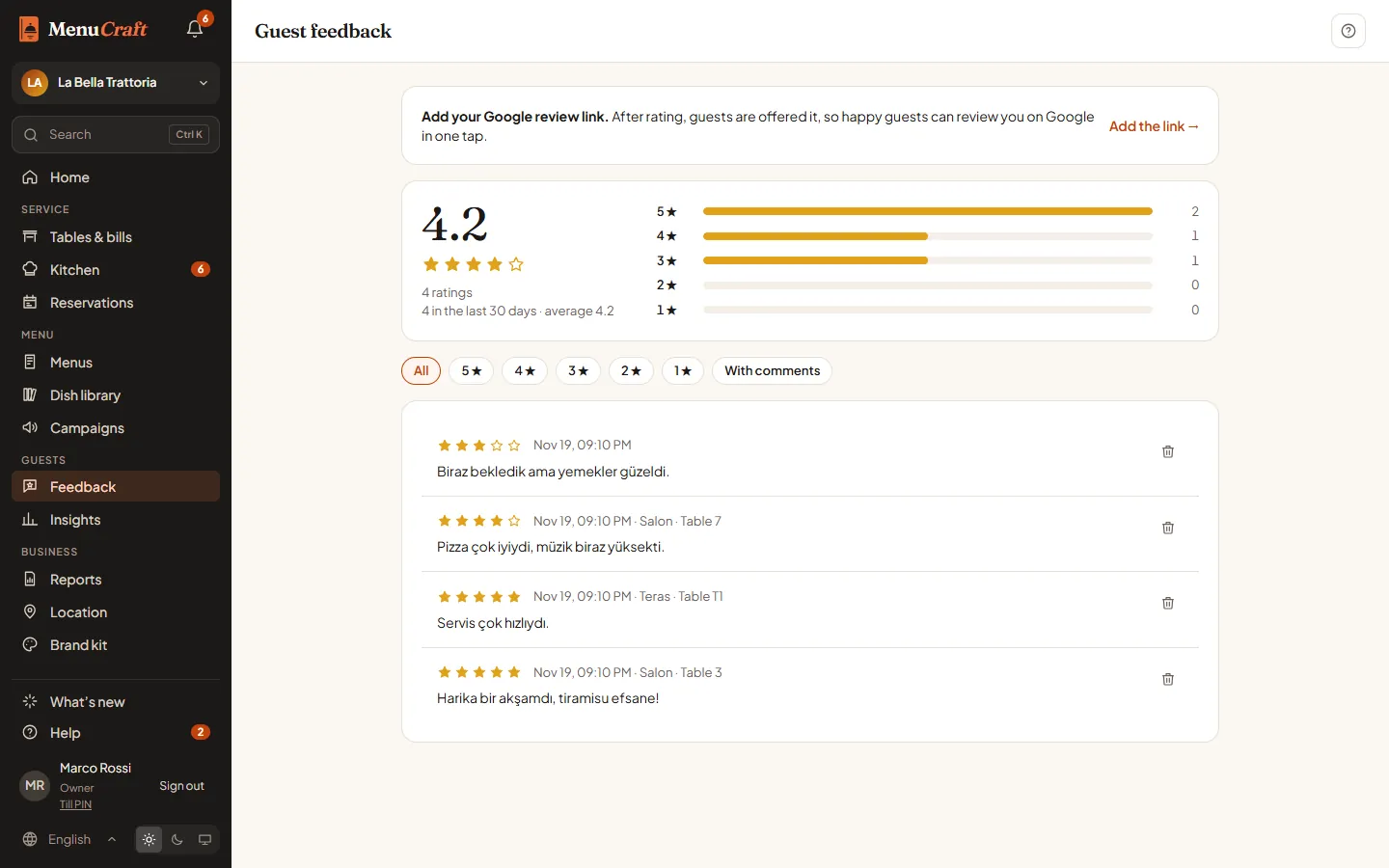
Open Feedback in the sidebar. At the top you see:
- The average rating, with the number of ratings and how many came in the last 30 days.
- A bar for each number of stars, from 5 down to 1.
Below is every rating, newest first: the stars, the date and time, the table (when the guest scanned a table QR code) and the comment, or No comment. When a guest left contact details, they appear after Wants a reply:; tap the email or phone number to answer. Select Show more to see older ratings.
Filter the list
Use the buttons above the list: All, one number of stars (5 ★ to 1 ★), or With comments to see only ratings with a written comment. The figures at the top always count all ratings.
Get told about low ratings
A rating of 3 stars or less also arrives in the bell at the top of the sidebar, with the table and the start of the comment, so you can talk to the guest while they are still there.
Delete a rating
Select the bin next to a rating, then Delete. It is also taken out of the average. Only owners and managers can delete ratings.
What next
- Turn on waiter calls and ordering: Orders, waiter calls and the bill.
- See how many people open your menu: Insights.