
The Insights page shows how your menus are used at the current location. It counts visits without cookies and without personal data: visitors are counted anonymously, once a day.
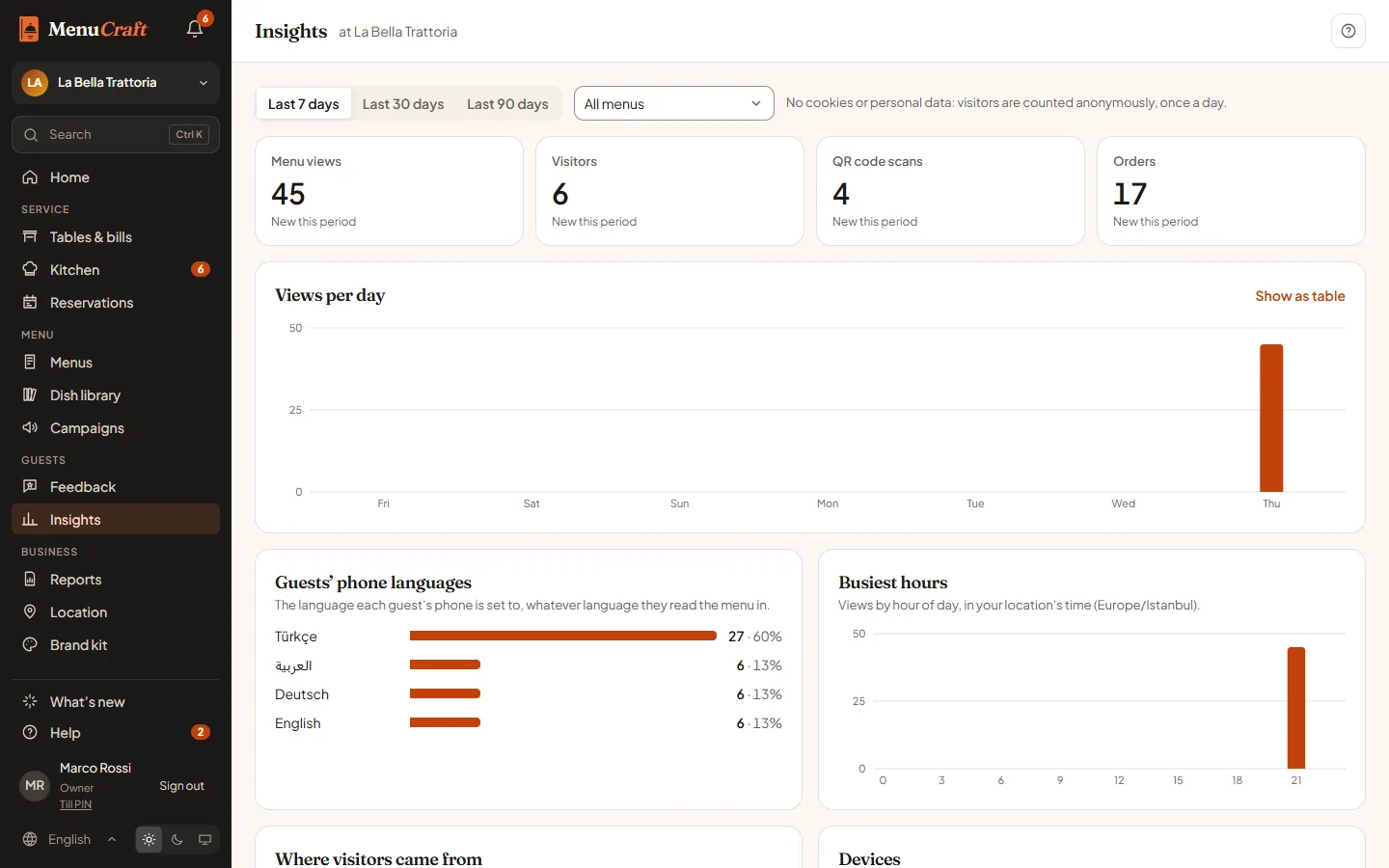
Choose the period and the menu
- At the top, choose Last 7 days, Last 30 days or Last 90 days.
- Next to it, choose All menus or one menu.
Each figure is compared with the period before: New this period, Same as the period before, or a percentage up or down vs the period before.
The figures at the top
- Menu views: how many times your menus were opened.
- Visitors: different people per day, added up over the period. Someone who comes back on another day counts again.
- QR code scans: how often your printed codes were scanned. A scan opens the menu, so it is part of the views too.
- Orders: orders guests sent from the menu, by WhatsApp or to the kitchen screen. Shown only when the period has orders.
Views per day and busiest hours
- Views per day shows a bar for each day. Point at a bar to see the visitors and QR scans of that day. Show as table lists the same numbers; Show chart goes back to the bars.
- Busiest hours spreads the views over the hours of the day, in your location's time zone. Use it to plan staff or to time a post on social media.
Where visitors came from, devices and languages
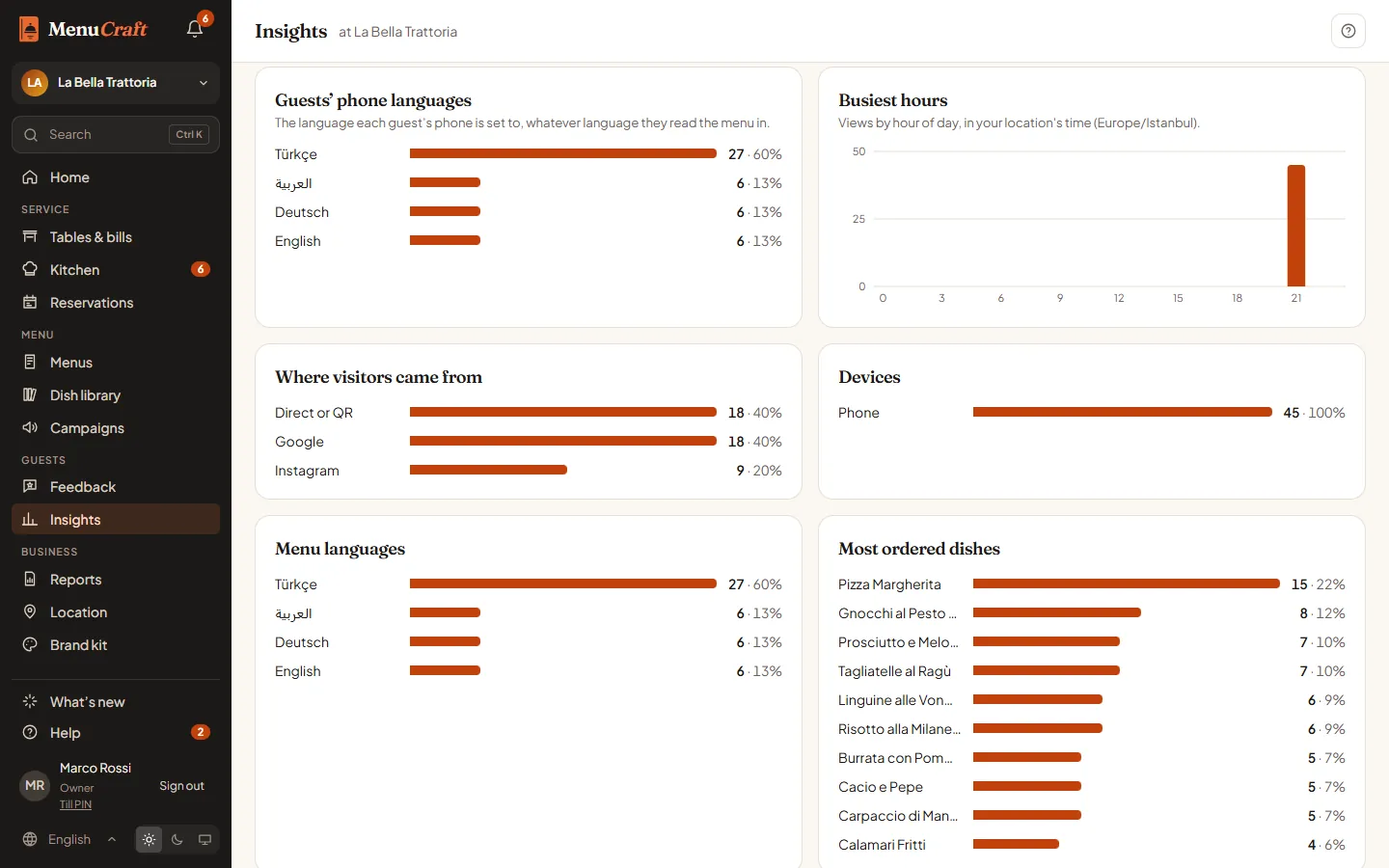
- Where visitors came from: for example Google, Instagram or your website. Direct or QR means the menu was opened from a QR code or a typed or saved link; Other websites groups the rest.
- Devices: Phone, Tablet or Computer.
- Menu languages: the languages guests read your menu in. It helps you decide which translations matter. See Menu languages.
Most ordered dishes
When guests order from the menu, two more cards appear:
- Most ordered dishes: your best sellers in the period.
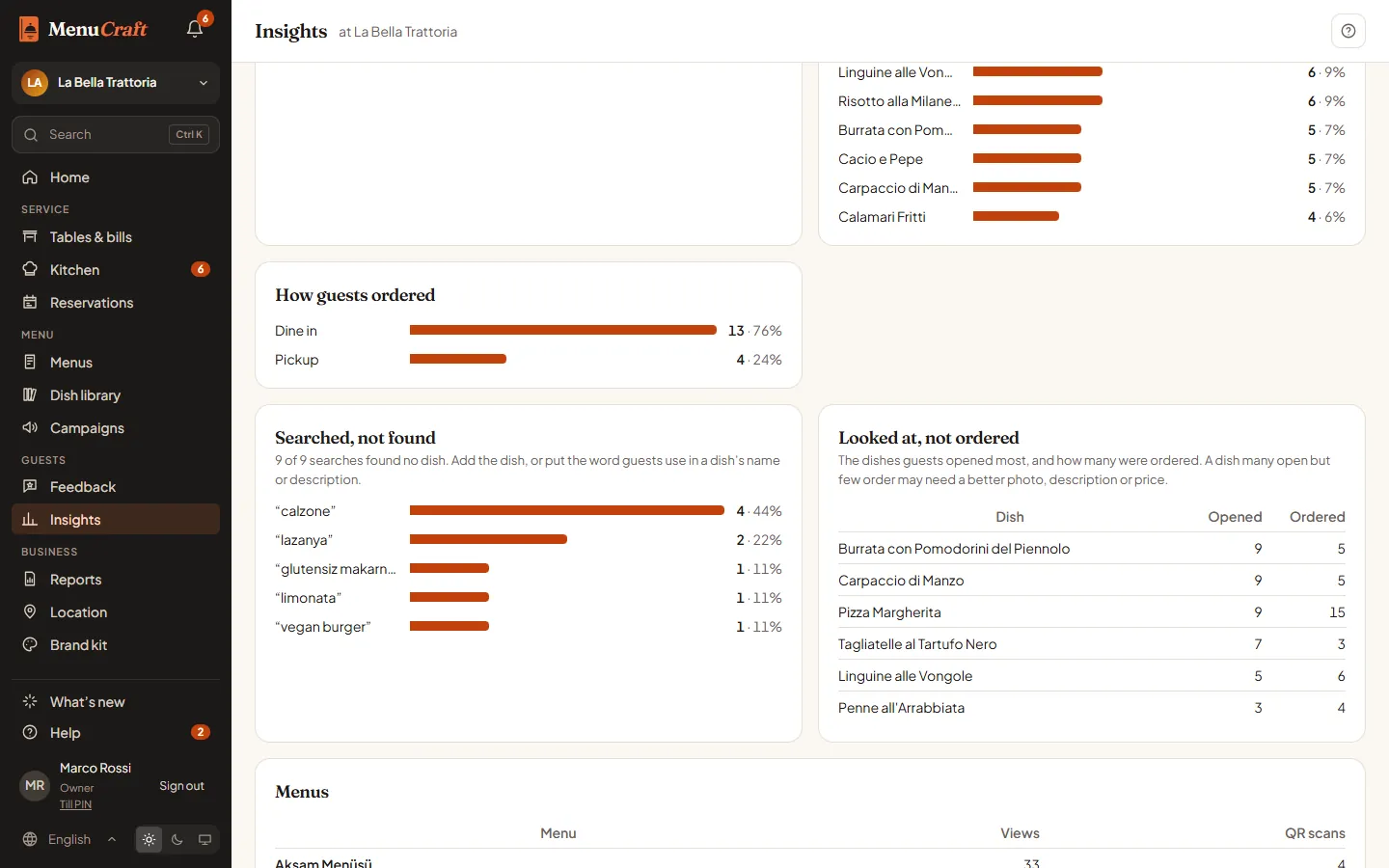
- How guests ordered: Dine in, Pickup or Delivery.
Searched, not found, and looked at, not ordered
These two cards show what guests wanted from your menu:
- Searched, not found: words guests typed in the menu's search that found no dish, most often first. Add the dish, or put the word guests use in a dish's name or description.
- Looked at, not ordered: the dishes guests opened most, with how many were ordered. Not ordered marks a dish that was opened but not ordered in the period. A dish many guests open but few order may need a better photo, a clearer description or another price.
A dish counts once per visit when a guest opens it for its details. When Dish details is set to Always shown, dishes in a list show their details without being opened, so they don't count here. Searches and opened dishes are counted without personal data, like the visits.
Compare your menus
With All menus chosen, the Menus card at the bottom lists the views and QR scans of each menu. A menu you have removed shows as Deleted menu.
Tip: No visits yet? Share your menu and print its QR code: Share and print your QR codes.
What next
- Read what guests say: Guest feedback.
- Let guests order from the menu: Orders, waiter calls and the bill.