
Regulatory compliance · Transparent menus
14 allergens, ingredients, calories, and printed price lists. Stay 100% compliant with Turkish restaurant regulations.
Turkish regulations require both an upfront printed price list at entrances and tables (Ministry of Trade Price Label Regulation) and detailed dish ingredients, 14 allergens, and calories (Ministry of Agriculture Transparent Menu regulation — deadline 31 Dec 2026). MenuCraft keeps your multilingual QR menu and your printed entrance price list synchronized from a single dashboard.
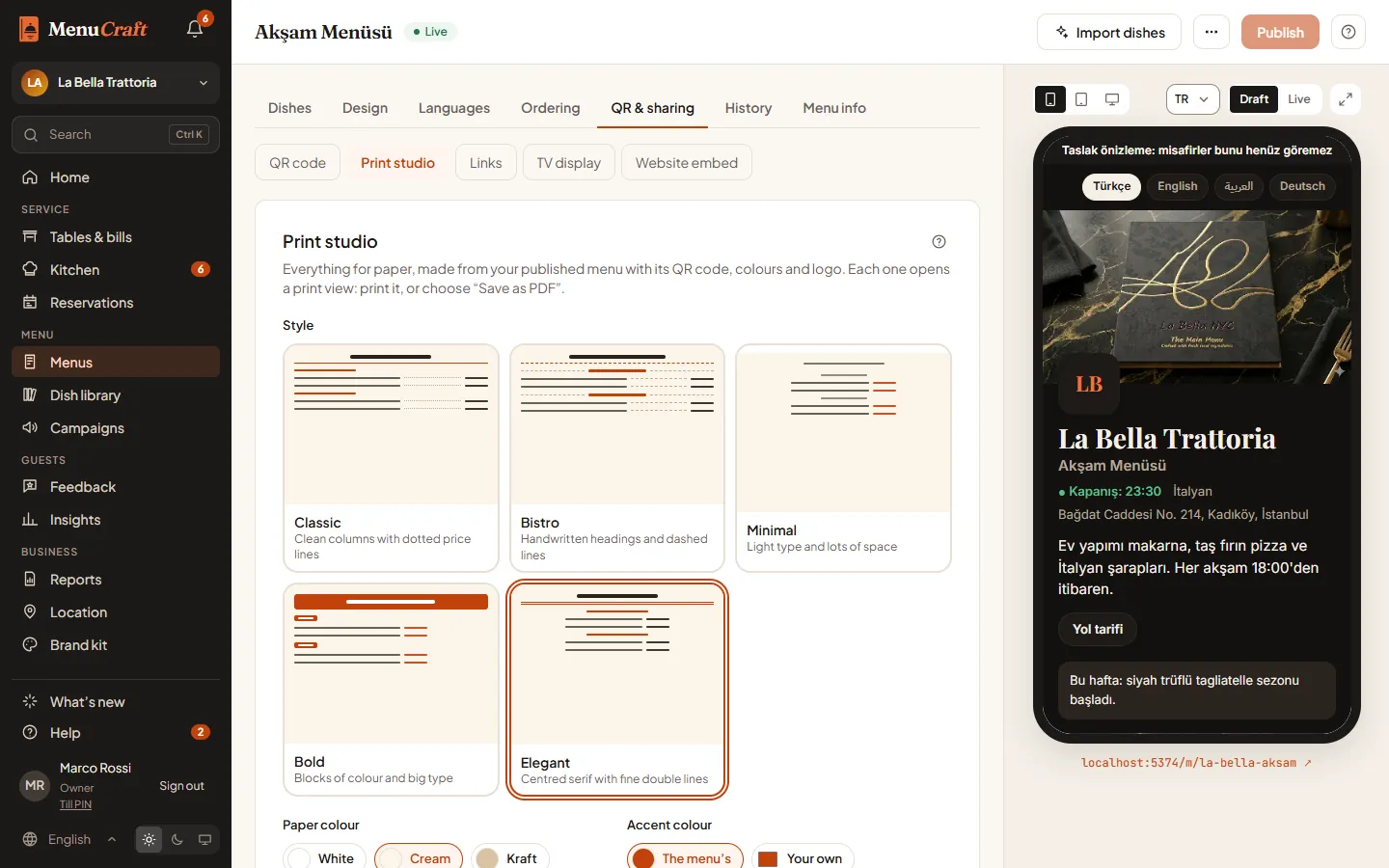
- Ministry of Trade compliance: Export date-stamped, print-ready PDF price lists for entrances and tables directly from your live menu
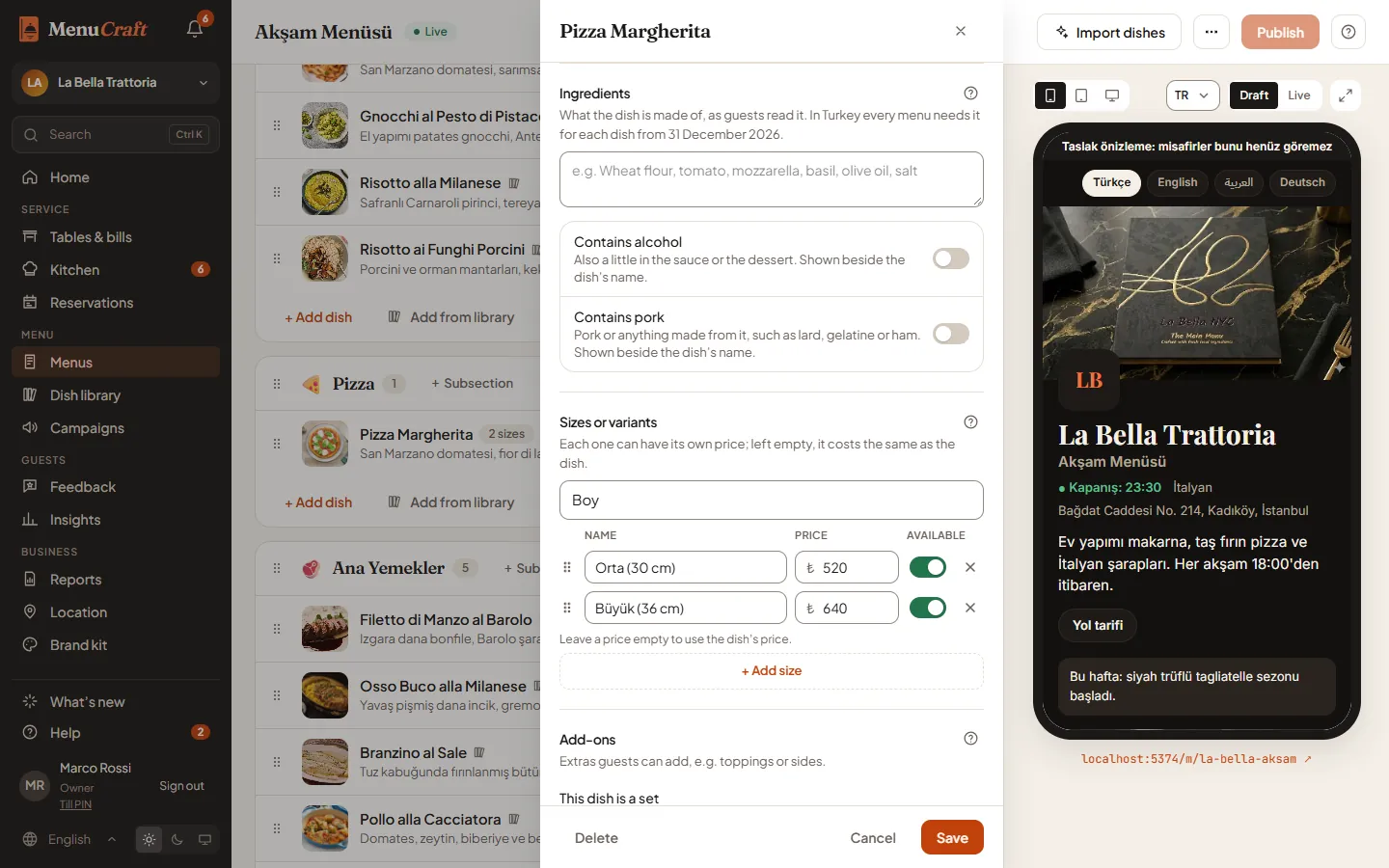
- Ministry of Agriculture compliance: Display all 14 standard allergens, ingredients, and portion calories (kcal)
- Service and cover charge transparency: Clearly itemize all charges to prevent penalties and customer disputes
No credit card · No setup fee · No hardware · Cancel any time
Compliance & penalty prevention
QR menu alone is not enough: Combine digital speed with printed price lists.
Never worry about outdated paper prices at the door when your digital prices change.
| What matters | Non-compliant QR / static paper menu | MenuCraft regulation-compliant menu |
|---|---|---|
| Printed price list mandate | Providing only a QR code without a printed list at the entrance (risk of Price Label fines) | One-click export of a clean, date-stamped PDF price list for entrance boards and tables from the Print Studio |
| 14 allergens and ingredients (31 Dec 2026) | Missing allergen disclosures or leaving questions to waiter guesswork | Clear badges for all 14 standard allergens, explicit ingredient lists, and interactive guest allergen filters |
| Calories and portions | Omitting portion weights or energy values | Calories (kcal) per portion, prep times, and dietary badges on every dish |
| Cover and service charge clarity | Hidden or unexpected service charges appearing on the bill | All service and cover fees clearly declared on both digital menus and printed lists |
| Multilingual tourist compliance | Turkish-only printed boards creating disputes with foreign diners | Automatic translation into 14 languages with accurate allergen nomenclature |
Inspection-ready dining
Update a price or recipe once; both QR menu and printed list stay aligned.
Use the bulk Dish Table to review prices, calories, and allergens across your entire menu in minutes.
- Print Studio: Download regulation-compliant A4 PDF menus or table tents for entrance doors and tables in seconds
- Transparent Menu Standards: Confirm 14 statutory allergens, ingredients, and calories from one simple interface
- Pricing & Cover Transparency: Ensure zero unlisted fees are charged, adhering to consumer protection rules
- 14 Languages Built-in: Allergens, tags, and dish details translate automatically for international guests
Solutions and comparisons
MenuCraft for every kind of hospitality.
MenuCraft vs PDF Menus
Why replace a static PDF QR menu with a live digital menu? Turn your existing PDF or paper menu into a fast, multilingual MenuCraft QR menu in 60 seconds.
Explore For cafés & bakeriesQR Menus for Cafés & Bakeries
Beautiful QR menus for cafés, coffee shops, and bakeries: drink sizes, milk and syrup add-ons, instant pastry sell-outs, Wi-Fi sharing, and a pickup number board.
Explore For restaurants & bistrosQR Menus & Ordering for Restaurants
Crafted multilingual QR menus for independent restaurants and bistros, with table ordering, waiter calls, kitchen screen, reservations, and table bills.
Explore For hotels & resortsQR Menus for Hotels & Room Service
Digital QR menus in 14 languages for hotels, resorts, and room service. Manage room service, pool bar, and restaurant menus with room-tagged QR codes.
Explore 14 languages · Right-to-left Arabic14-Language AI Menu Translation
Translate your restaurant or café QR menu into 14 languages—including proper right-to-left Arabic, German, French, Russian, and Chinese—while keeping full editorial control.
Explore Table ordering · Kitchen screenQR Table Ordering & Kitchen Screen
Let guests order from the table, call a waiter, or ask for the bill via signed QR codes. Orders appear live on your kitchen screen or WhatsApp with 0% commission.
Explore Table bills · Shared tillTable Bills (Adisyon) & Shared Till
Run open table bills (adisyon) from table to till: merge guest QR orders and waiter orders on one tab, split bills 2–10 ways, and close the day with a cash count.
Explore Photo to menu · Ready in 60 secondsPhoto & PDF to QR Menu
Turn photos of your printed paper menu, a PDF, or an Excel spreadsheet into a live multilingual QR menu in 60 seconds. Review every dish and allergen before publishing.
Explore Transparent menus · Allergens & nutritionAllergens, Calories & Transparent Menus
Display all 14 standard food allergens, ingredients, calories (kcal), prep times, and interactive Vegan, Gluten-Free, and Halal filters across 14 languages.
Explore Kitchen screen (KDS) · Pickup boardKitchen Screen (KDS) & Order Board
Replace paper tickets with a live browser-based Kitchen Display System (KDS) and a TV pickup order board. Included on every MenuCraft plan, even Free.
ExploreQuestions
Frequently asked questions
Can't find your answer here? Look it up in the help center or write to us. Once you've signed up, you can also ask from inside the app.
Is a QR code menu alone legally sufficient in Turkey?
No. Under the Ministry of Trade's Price Label Regulation, restaurants, cafés, and eateries cannot rely solely on QR code menus. A legible physical printed price list must be displayed at the entrance and on tables. MenuCraft generates matching print-ready PDFs directly from your live digital menu.
When does Turkey's Transparent Menu rule take effect?
National restaurant chains became subject to the rule in July 2026. For businesses with 3 or more locations and all remaining independent restaurants, ingredients and allergen disclosures are mandatory by 31 December 2026. Calorie requirements phase in through the end of 2027.
How must cover (kuver) and service charges be declared?
By regulation, no service, cover, or table fee may be billed unless explicitly declared in the menu and entrance price list. MenuCraft ensures all surcharges are transparently published in both digital and print formats.
How do I print the entrance price list with MenuCraft?
In the owner portal, open the Print Studio, pick your preferred layout, and download a high-resolution A4 PDF ready to print on any standard printer.

Have your menu ready tonight.
No credit card, no hardware. Take the photo and leave the rest to MenuCraft.
No credit card · No setup fee · No hardware · Cancel any time